목차
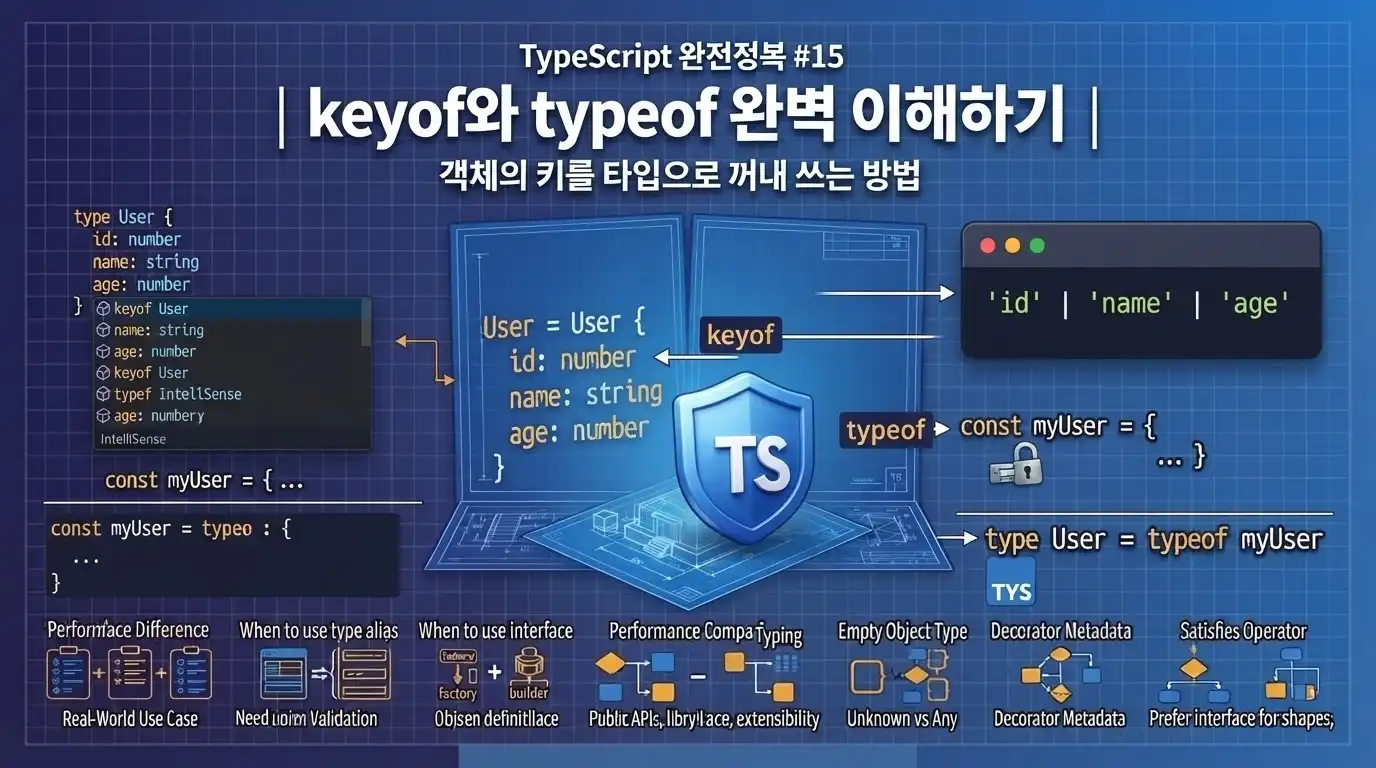
keyof와 typeof 완벽 이해하기
지난 시간에는 객체의 속성 이름을 미리 알 수 없을 때 사용하는 인덱스 시그니처와 `Record`를 살펴봤습니다.
type ScoreMap = Record<string, number>;

const scores: ScoreMap = {
  kim: 90,
  lee: 85,
  park: 100,
};
키 목록이 정해져 있다면 리터럴 유니언과 `Record`를 함께 사용할 수도 있었습니다.
type RequestStatus =
  | "idle"
  | "loading"
  | "success"
  | "error";

type StatusMessages =
  Record<RequestStatus, string>;
그런데 다음 사용자 타입을 살펴보겠습니다.
interface User {
  id: number;
  name: string;
  email: string;
}
사용자 객체의 속성 이름만 허용하는 타입이 필요하다고 가정해 보겠습니다.
type UserKey =
  | "id"
  | "name"
  | "email";
처음에는 문제가 없어 보입니다.
let selectedKey: UserKey = "name";하지만 `User` 타입에 새로운 속성이 추가되면 어떻게 될까요?
interface User {
  id: number;
  name: string;
  email: string;
  age: number;
}
`UserKey`에도 `"age"`를 직접 추가해야 합니다.
type UserKey =
  | "id"
  | "name"
  | "email"
  | "age";
두 타입을 따로 관리하면 언젠가 수정이 누락될 수 있습니다.
User에는 age가 추가됨
UserKey에는 age를 추가하지 않음
설계도는 새 버전인데 열쇠 목록은 구형인 상황입니다.
건물에는 4층이 생겼지만 안내판은 여전히 3층까지만 표시하고 있습니다. 🏢
TypeScript에는 객체 타입에서 키 이름만 자동으로 꺼내는 연산자가 있습니다.
type UserKey = keyof User;`UserKey`의 결과는 다음과 같습니다.
"id" | "name" | "email" | "age"객체 타입이 변경되면 키 타입도 자동으로 변경됩니다.
이번 시간에는 객체의 열쇠 꾸러미를 타입으로 꺼내는 `keyof`와, 실제 값에서 타입 설계도를 복사하는 `typeof`를 알아보겠습니다.
1. 이번 시간에 배울 내용
이번 시간에는 다음 내용을 살펴봅니다.
- `keyof`란 무엇인가?
- 객체 타입의 키를 리터럴 유니언으로 만드는 방법
- `keyof`를 변수와 함수 매개변수에 사용하는 방법
- 존재하지 않는 속성 이름을 막는 방법
- 선택적 속성과 메서드도 `keyof`에 포함되는가?
- 숫자 키와 인덱스 시그니처에서 `keyof`는 어떻게 동작하는가?
- JavaScript의 `typeof`와 TypeScript 타입 위치의 `typeof`
- 실제 객체 값으로부터 타입을 만드는 방법
- `keyof typeof`란 무엇인가?
- 상수 객체의 키를 타입으로 재사용하는 방법
- 객체의 값 타입을 꺼내는 방법
- 배열 요소를 리터럴 유니언 타입으로 만드는 방법
- `Object.keys()`가 `string[]`을 반환하는 이유
- 안전한 속성 조회 함수 만들기
- `keyof`와 제네릭을 함께 사용하는 방법
- 실무에서 `keyof`와 `typeof`를 선택하는 기준
이번 시간의 핵심 문장은 다음과 같습니다.
keyof는 설계도에서 열쇠 목록을 꺼내고, typeof는 실제 물건에서 설계도를 복사한다.
둘을 조합하면 값과 타입을 따로 작성하면서 생기는 중복을 크게 줄일 수 있습니다.
2. `keyof`란?
`keyof`는 객체 타입의 속성 이름을 리터럴 유니언 타입으로 만드는 타입 연산자입니다.
사용자 타입을 준비하겠습니다.
interface User {
  id: number;
  name: string;
  email: string;
}
`keyof`를 적용합니다.
type UserKey = keyof User;결과는 다음과 같습니다.
type UserKey =
  | "id"
  | "name"
  | "email";
즉, 다음 두 타입은 같은 의미입니다.
type FirstUserKey = keyof User;type SecondUserKey =
| "id"
| "name"
| "email";다만 `keyof User`는 `User` 타입의 변경 사항을 자동으로 따라간다는 장점이 있습니다.
User에 속성 추가
↓
keyof User 결과에도 자동 반영
`keyof`는 객체 설계도를 훑어보고 모든 문에 붙은 이름표를 복사해 옵니다. 🗝️
3. `keyof`의 기본 문법
기본 문법은 간단합니다.
keyof 객체타입예를 들어 상품 타입이 있습니다.
type Product = {
  id: number;
  name: string;
  price: number;
  stock: number;
};
키 타입을 만듭니다.
type ProductKey =
  keyof Product;
결과:
type ProductKey =
  | "id"
  | "name"
  | "price"
  | "stock";
`ProductKey` 변수에는 네 문자열 중 하나만 저장할 수 있습니다.
let productKey: ProductKey;

productKey = "id";
productKey = "name";
productKey = "price";
productKey = "stock";
존재하지 않는 키는 저장할 수 없습니다.
productKey = "category";`Product` 타입에 `category` 속성이 없기 때문입니다.
4. `keyof`는 키를 직접 복사하는 수고를 줄인다
`keyof`를 사용하지 않으면 객체 타입과 키 타입을 각각 작성해야 합니다.
interface Product {
  id: number;
  name: string;
  price: number;
}
type ProductKey =
| "id"
| "name"
| "price";상품에 재고 속성을 추가해 보겠습니다.
interface Product {
id: number;
name: string;
price: number;
stock: number;
}그런데 `ProductKey`를 수정하지 않았습니다.
type ProductKey =
  | "id"
  | "name"
| "price";이제 `"stock"`은 실제 속성이지만 키 타입에서는 사용할 수 없습니다.
const key: ProductKey =
"stock";`keyof`를 사용하면 이런 불일치를 막을 수 있습니다.
type ProductKey =
keyof Product;`Product`에 속성이 추가되거나 제거되면 `ProductKey`도 자동으로 바뀝니다.
한쪽 문서만 수정해도 열쇠 관리대장이 자동으로 갱신됩니다.
5. `keyof` 타입을 변수에 사용하기
다음 사용자 타입이 있습니다.
interface User {
id: number;
name: string;
email: string;
}키 타입을 정의합니다.
type UserKey = keyof User;변수에 사용할 수 있습니다.
let selectedKey: UserKey =
"name";다른 키로 변경할 수 있습니다.
selectedKey = "email";
selectedKey = "id";목록에 없는 문자열은 사용할 수 없습니다.
selectedKey = "password";일반 `string` 타입과 비교해 보겠습니다.
let unsafeKey: string =
"password";`string`은 어떤 문자열이든 허용합니다.
unsafeKey = "banana";
unsafeKey = "wrong-property";
unsafeKey = "우주비행사";`keyof User`는 실제 사용자 속성 이름만 허용합니다.
string
→ 모든 문자열 허용
keyof User
→ User에 실제로 존재하는 키만 허용6. 함수 매개변수에 `keyof` 사용하기
사용자 속성 이름을 출력하는 함수를 만들어 보겠습니다.
interface User {
id: number;
name: string;
email: string;
}function printUserProperty(
user: User,
key: keyof User
): void {
console.log(user[key]);
}함수를 호출합니다.
const user: User = {
id: 1,
name: "김타입",
email: "type@example.com",
};printUserProperty(
user,
"name"
);출력 결과:
김타입다른 속성도 전달할 수 있습니다.
printUserProperty(
user,
"id"
);
printUserProperty(
user,
"email"
);존재하지 않는 키는 전달할 수 없습니다.
printUserProperty(
user,
"password"
);TypeScript가 호출 단계에서 오류를 알려줍니다.
7. 매개변수를 `string`으로 작성하면 생기는 문제
다음 함수를 살펴보겠습니다.
function getUserValue(
user: User,
key: string
) {
return user[key];
}`key`에는 모든 문자열이 들어올 수 있습니다.
getUserValue(
user,
"name"
);정상적인 키도 전달되지만, 존재하지 않는 키도 전달될 수 있습니다.
getUserValue(
user,
"password"
);`User` 타입은 모든 문자열 키를 허용하지 않습니다.
TypeScript는 `user[key]`가 안전하다는 사실을 보장할 수 없습니다.
`keyof User`로 제한해야 합니다.
function getUserValue(
user: User,
key: keyof User
) {
return user[key];
}이제 `key`는 다음 값 중 하나입니다.
"id" | "name" | "email"객체의 열쇠를 받는 함수에 아무 문자열이나 전달하면 안 됩니다.
호텔 객실 열쇠 대신 `"바나나"`라고 적힌 카드를 내민다고 문이 열리지는 않습니다. 🍌
8. `keyof`로 동적 속성 접근을 안전하게 만들기
동적 속성 접근은 대괄호를 사용합니다.
const key: keyof User =
"email";
const value =
user[key];`key`가 실제 `User`의 키라는 사실이 보장되므로 안전하게 접근할 수 있습니다.
반복문이나 설정 화면에서도 활용할 수 있습니다.
const userKeys:
(keyof User)[] = [
"id",
"name",
"email",
];userKeys.forEach(
(key) => {
console.log(
`${key}: ${user[key]}`
);
}
);출력 결과:
id: 1
name: 김타입
email: type@example.com키 배열에 잘못된 값이 들어가면 오류가 발생합니다.
const userKeys:
(keyof User)[] = [
"id",
"name",
"password",
];9. `keyof` 결과에는 어떤 속성이 포함될까?
다음 인터페이스를 살펴보겠습니다.
interface User {
readonly id: number;
name: string;
nickname?: string;
greet(): string;
}`keyof`를 적용합니다.
type UserKey =
keyof User;결과는 다음과 같습니다.
type UserKey =
| "id"
| "name"
| "nickname"
| "greet";다음 속성들이 모두 포함됩니다.
일반 속성
→ name
readonly 속성
→ id
선택적 속성
→ nickname
메서드
→ greet`keyof`는 속성이 읽기 전용인지, 선택 사항인지 구분해서 제외하지 않습니다.
객체 타입에 존재하는 모든 멤버 이름을 키로 가져옵니다.
10. 선택적 속성의 값을 읽으면?
다음 타입에서 `nickname`은 선택적입니다.
interface User {
id: number;
name: string;
nickname?: string;
}키 타입에는 `"nickname"`이 포함됩니다.
type UserKey =
keyof User;다음 접근은 가능합니다.
const key: UserKey =
"nickname";
const value =
user[key];하지만 `nickname`이 실제 객체에 없을 수 있으므로 값 타입에는 `undefined` 가능성이 포함될 수 있습니다.
string | undefined안전하게 사용해야 합니다.
if (
typeof value === "string"
) {
console.log(
value.toUpperCase()
);
}`keyof`는 열쇠가 존재한다는 사실을 알려줍니다.
그 방 안에 가구가 반드시 있다는 사실까지 보장하지는 않습니다.
11. 숫자 속성 이름과 `keyof`
숫자 리터럴 키를 가진 타입을 만들어 보겠습니다.
type HttpMessages = {
200: string;
400: string;
404: string;
};`keyof`를 적용합니다.
type HttpStatusCode =
keyof HttpMessages;결과는 숫자 리터럴 유니언입니다.
type HttpStatusCode =
200 | 400 | 404;다음 값은 허용됩니다.
let statusCode:
HttpStatusCode = 200;
statusCode = 404;목록에 없는 숫자는 허용되지 않습니다.
statusCode = 500;함수에 적용할 수도 있습니다.
function getHttpMessage(
messages: HttpMessages,
code: keyof HttpMessages
): string {
return messages[code];
}12. 문자열 인덱스 시그니처와 `keyof`
다음 인덱스 시그니처가 있습니다.
interface ScoreMap {
[studentName: string]:
number;
}`keyof`를 적용하면 단순히 `string`만 나올 것 같지만 숫자도 관련될 수 있습니다.
type ScoreKey =
keyof ScoreMap;개념적으로 다음과 같은 형태가 됩니다.
string | numberJavaScript 객체에서 숫자 키가 문자열로 변환되어 사용될 수 있기 때문입니다.
const scores: ScoreMap = {
kim: 90,
100: 85,
};다음 접근은 모두 가능합니다.
scores["kim"];
scores[100];
scores["100"];문자열 인덱스 시그니처는 JavaScript 객체 키의 특성 때문에 숫자 접근도 고려합니다.
13. 숫자 인덱스 시그니처와 `keyof`
숫자 인덱스 시그니처를 살펴보겠습니다.
interface NumberMessages {
[code: number]: string;
}type MessageCode =
keyof NumberMessages;이 경우 핵심 키 타입은 `number`입니다.
let code: MessageCode =
200;
code = 404;문자열 키 전체를 허용하는 것은 아닙니다.
code = "success";인덱스 시그니처의 키 종류에 따라 `keyof` 결과도 달라집니다.
14. `keyof any`란?
TypeScript에서 객체 속성 키로 사용할 수 있는 기본 타입은 다음 세 종류입니다.
string
number
symbol이를 확인할 수 있는 타입 표현이 있습니다.
type PropertyKey =
keyof any;결과는 다음과 같습니다.
string | number | symbolJavaScript 객체의 일반적인 속성 키 범위를 나타냅니다.
실무에서는 직접 `keyof any`를 작성하기보다 다음 내장 타입 이름을 볼 수도 있습니다.
PropertyKey개념적으로 다음과 비슷합니다.
type PropertyKey =
string | number | symbol;초보 단계에서는 객체 키가 문자열만 있는 것은 아니라는 점 정도로 기억하면 충분합니다.
15. JavaScript의 `typeof` 복습
`typeof`는 JavaScript에서 값의 종류를 확인하는 연산자입니다.
const value = "TypeScript";
console.log(
typeof value
);출력 결과:
string숫자를 확인합니다.
console.log(
typeof 100
);출력:
number불리언을 확인합니다.
console.log(
typeof true
);출력:
boolean함수를 확인합니다.
console.log(
typeof (() => {})
);출력:
functionJavaScript 코드에서 `typeof`는 실행 중인 값의 종류를 확인합니다.
if (
typeof value === "string"
) {
console.log(
value.toUpperCase()
);
}이 사용법은 앞에서 타입 좁히기를 배울 때 살펴봤습니다.
16. 타입 위치에서 사용하는 `typeof`
TypeScript에서는 `typeof`를 타입 위치에서도 사용할 수 있습니다.
다음 객체를 준비합니다.
const user = {
id: 1,
name: "김타입",
email: "type@example.com",
};이 객체의 타입을 직접 작성하지 않고 가져올 수 있습니다.
type User =
typeof user;`User`는 다음과 비슷한 타입이 됩니다.
type User = {
id: number;
name: string;
email: string;
};이제 다른 객체에 사용할 수 있습니다.
const secondUser: User = {
id: 2,
name: "이컴파일",
email: "compile@example.com",
};타입 위치의 `typeof`는 다음과 같은 의미입니다.
이 값이 가지고 있는 TypeScript 타입을 가져와 새로운 타입으로 사용하자.
17. 실행 위치와 타입 위치의 `typeof`
같은 `typeof`라는 단어를 사용하지만 위치에 따라 역할이 다릅니다.
실행 코드에서의 `typeof`
const userName =
"김타입";
console.log(
typeof userName
);실행 결과:
stringJavaScript가 실행 중 값의 종류를 확인합니다.
타입 위치에서의 `typeof`
const userName =
"김타입";
type UserName =
typeof userName;TypeScript가 `userName` 변수의 타입을 가져옵니다.
정리하면 다음과 같습니다.
값 위치의 typeof
→ JavaScript 실행 중 사용
→ 결과는 문자열 값
타입 위치의 typeof
→ TypeScript 타입을 만들 때 사용
→ 결과는 타입같은 유니폼을 입었지만 한 명은 현장 조사관이고, 다른 한 명은 설계도 복사 담당자입니다. 🕵️
18. 객체 값에서 타입 만들기
애플리케이션 설정 객체를 만들어 보겠습니다.
const appConfig = {
appName: "TypeMaster",
version: "1.0.0",
debug: true,
timeout: 3000,
};이 객체의 타입을 추출합니다.
type AppConfig =
typeof appConfig;결과는 다음과 비슷합니다.
type AppConfig = {
appName: string;
version: string;
debug: boolean;
timeout: number;
};설정을 받는 함수에 사용할 수 있습니다.
function printConfig(
config: AppConfig
): void {
console.log(
`앱: ${config.appName}`
);
console.log(
`버전: ${config.version}`
);
}다른 설정 객체도 같은 구조를 따라야 합니다.
const testConfig:
AppConfig = {
appName: "TypeMaster Test",
version: "1.0.0-test",
debug: false,
timeout: 1000,
};19. `typeof`는 실제 값을 복사하지 않는다
다음 코드를 살펴보겠습니다.
const originalUser = {
id: 1,
name: "김타입",
};type User =
typeof originalUser;`typeof`는 객체 값 자체를 복사하는 것이 아닙니다.
타입 정보만 가져옵니다.
const secondUser: User = {
id: 2,
name: "이컴파일",
};`secondUser`는 `originalUser`와 별도의 객체입니다.
typeof originalUser
→ originalUser의 타입 구조를 추출
객체 값 복사
→ 발생하지 않음타입 위치의 `typeof`는 복사기에서 설계도만 출력합니다.
원본 가구까지 두 벌로 복제하지는 않습니다.
20. `let`과 `const`에서 `typeof` 결과 차이
다음 변수를 비교해 보겠습니다.
let firstStatus =
"loading";
const secondStatus =
"loading";`let` 변수는 다른 문자열로 변경될 수 있습니다.
firstStatus = "success";따라서 타입은 일반 `string`입니다.
type FirstStatus =
typeof firstStatus;결과:
string`const` 변수는 다른 값을 다시 할당할 수 없습니다.
type SecondStatus =
typeof secondStatus;결과는 더 구체적입니다.
"loading"정리하면 다음과 같습니다.
let status = "loading"
typeof status
→ string
const status = "loading"
typeof status
→ "loading"`const`는 값이 고정되어 있으므로 TypeScript가 더 정확한 리터럴 타입을 유지할 수 있습니다.
21. 객체 속성은 `const`여도 넓게 추론될 수 있다
다음 객체는 `const`로 선언했습니다.
const request = {
method: "GET",
timeout: 3000,
};변수 `request` 자체를 다른 객체로 바꿀 수는 없습니다.
request = {
method: "POST",
timeout: 5000,
};하지만 속성은 변경할 수 있습니다.
request.method =
"POST";
request.timeout =
5000;따라서 `typeof request`는 보통 다음처럼 추론됩니다.
{
method: string;
timeout: number;
}`method`가 정확한 `"GET"` 리터럴 타입으로 남아 있지 않습니다.
값과 구조를 최대한 구체적으로 유지하려면 `as const`를 사용할 수 있습니다.
22. `as const`와 `typeof`
다음 객체에 `as const`를 적용합니다.
const request = {
method: "GET",
timeout: 3000,
} as const;타입을 추출합니다.
type Request =
typeof request;결과는 다음과 비슷합니다.
type Request = {
readonly method: "GET";
readonly timeout: 3000;
};일반 객체와 비교해 보겠습니다.
일반 객체
const firstRequest = {
method: "GET",
timeout: 3000,
};type FirstRequest =
typeof firstRequest;추론 결과:
{
method: string;
timeout: number;
}`as const` 객체
const secondRequest = {
method: "GET",
timeout: 3000,
} as const;type SecondRequest =
typeof secondRequest;추론 결과:
{
readonly method: "GET";
readonly timeout: 3000;
}`as const`는 타입 확대경의 초점을 최대한 가까이 맞춥니다. 🔎
23. `keyof typeof`란?
이제 두 연산자를 함께 사용해 보겠습니다.
const user = {
id: 1,
name: "김타입",
email: "type@example.com",
};먼저 `typeof user`는 객체의 타입을 가져옵니다.
type User =
typeof user;다음으로 `keyof`를 적용하면 타입의 키를 가져옵니다.
type UserKey =
keyof typeof user;결과:
type UserKey =
| "id"
| "name"
| "email";진행 순서는 안쪽부터 읽으면 됩니다.
typeof user
→ user 객체의 타입 추출
keyof typeof user
→ 추출한 타입의 키 목록 생성한 줄로 열쇠 목록을 만들었습니다.
24. `keyof typeof`를 단계별로 이해하기
다음 설정 객체가 있습니다.
const settings = {
theme: "dark",
fontSize: 16,
showSidebar: true,
};첫 번째 단계는 값에서 타입을 가져오는 것입니다.
type Settings =
typeof settings;결과:
type Settings = {
theme: string;
fontSize: number;
showSidebar: boolean;
};두 번째 단계는 타입에서 키를 가져오는 것입니다.
type SettingKey =
keyof Settings;결과:
type SettingKey =
| "theme"
| "fontSize"
| "showSidebar";두 단계를 한 줄로 줄일 수 있습니다.
type SettingKey =
keyof typeof settings;25. 실제 값과 키 타입을 함께 관리하기
상태별 화면 문구를 정의해 보겠습니다.
const statusMessages = {
idle:
"요청을 기다리고 있습니다.",
loading:
"데이터를 불러오는 중입니다.",
success:
"작업이 완료되었습니다.",
error:
"오류가 발생했습니다.",
};객체의 키에서 상태 타입을 만듭니다.
type RequestStatus =
keyof typeof statusMessages;결과:
type RequestStatus =
| "idle"
| "loading"
| "success"
| "error";함수에 적용합니다.
function getStatusMessage(
status: RequestStatus
): string {
return statusMessages[
status
];
}정상적인 호출입니다.
console.log(
getStatusMessage(
"loading"
)
);잘못된 상태는 전달할 수 없습니다.
getStatusMessage(
"complete"
);상태 타입과 메시지 객체를 따로 작성할 필요가 없습니다.
statusMessages 객체
→ 실제 런타임 데이터
keyof typeof statusMessages
→ 허용되는 상태 타입한 장의 출석부가 실제 명단과 타입 명단을 동시에 담당합니다.
26. 값에서 타입을 만들면 중복을 줄일 수 있다
다음 코드는 같은 정보를 두 번 작성합니다.
type Theme =
| "light"
| "dark"
| "system";const themeLabels = {
light: "라이트",
dark: "다크",
system: "시스템 설정",
};새로운 테마를 추가한다고 생각해 보겠습니다.
type Theme =
| "light"
| "dark"
| "system"
| "contrast";객체에 `contrast`를 추가하는 것을 잊을 수 있습니다.
반대로 객체를 기준으로 타입을 만들면 중복이 줄어듭니다.
const themeLabels = {
light: "라이트",
dark: "다크",
system: "시스템 설정",
contrast: "고대비",
};type Theme =
keyof typeof themeLabels;객체의 키가 곧 허용 가능한 테마 목록이 됩니다.
다만 모든 상황에서 값이 타입의 기준이어야 하는 것은 아닙니다.
도메인 규칙을 먼저 타입으로 정의해야 한다면 리터럴 유니언과 `Record`를 사용하는 편이 적합할 수 있습니다.
type Theme =
| "light"
| "dark"
| "system";
const themeLabels:
Record<Theme, string> = {
light: "라이트",
dark: "다크",
system: "시스템 설정",
};설계의 기준이 타입인지 값인지에 따라 방향을 선택합니다.
27. 객체의 값 타입도 꺼낼 수 있다
`keyof`는 객체의 키를 추출합니다.
const errorCodes = {
notFound: 404,
unauthorized: 401,
serverError: 500,
} as const;키 타입을 만들 수 있습니다.
type ErrorName =
keyof typeof errorCodes;결과:
type ErrorName =
| "notFound"
| "unauthorized"
| "serverError";그렇다면 값인 `404`, `401`, `500`도 타입으로 만들 수 있을까요?
다음처럼 작성합니다.
type ErrorCode =
typeof errorCodes[
keyof typeof errorCodes
];결과:
type ErrorCode =
| 404
| 401
| 500;조금 복잡해 보이지만 단계별로 보면 간단합니다.
typeof errorCodes
→ 객체 타입
keyof typeof errorCodes
→ 객체의 모든 키
typeof errorCodes[
keyof typeof errorCodes
]
→ 모든 키에 해당하는 값 타입객체의 값 타입을 꺼내는 문법은 인덱스드 액세스 타입과 연결됩니다.
다음 편에서 더 자세히 살펴보겠습니다.
28. `as const`가 값 유니언에 중요한 이유
`as const`가 없는 객체를 살펴보겠습니다.
const errorCodes = {
notFound: 404,
unauthorized: 401,
serverError: 500,
};값 타입을 추출합니다.
type ErrorCode =
typeof errorCodes[
keyof typeof errorCodes
];결과는 구체적인 숫자 목록이 아니라 일반 `number`가 될 수 있습니다.
number객체 속성을 나중에 다른 숫자로 바꿀 수 있기 때문입니다.
errorCodes.notFound = 100;구체적인 숫자 리터럴 타입을 유지하려면 `as const`를 사용합니다.
const errorCodes = {
notFound: 404,
unauthorized: 401,
serverError: 500,
} as const;이제 값 타입은 다음과 같습니다.
404 | 401 | 500as const 없음
→ 값 타입이 number로 넓어짐
as const 사용
→ 404 | 401 | 500 유지29. 배열에서 요소 타입 꺼내기
객체뿐 아니라 배열에서도 `typeof`를 활용할 수 있습니다.
const themes = [
"light",
"dark",
"system",
] as const;배열 전체 타입을 가져옵니다.
type Themes =
typeof themes;결과는 읽기 전용 튜플입니다.
readonly [
"light",
"dark",
"system"
]배열 요소 타입만 꺼내려면 `[number]`를 사용합니다.
type Theme =
typeof themes[number];결과:
type Theme =
| "light"
| "dark"
| "system";`number`는 배열의 모든 숫자 인덱스를 의미합니다.
themes[0]
→ "light"
themes[1]
→ "dark"
themes[2]
→ "system"
typeof themes[number]
→ 모든 요소 타입의 유니언30. 배열을 실제 값 목록과 타입 목록으로 함께 사용하기
지원 언어 목록을 만들어 보겠습니다.
const supportedLanguages = [
"ko",
"en",
"ja",
] as const;타입을 추출합니다.
type Language =
typeof supportedLanguages[
number
];결과:
type Language =
| "ko"
| "en"
| "ja";함수에 사용할 수 있습니다.
function changeLanguage(
language: Language
): void {
console.log(
`${language} 언어로 변경합니다.`
);
}changeLanguage("ko");
changeLanguage("en");지원하지 않는 언어는 전달할 수 없습니다.
changeLanguage("fr");실행 중 목록을 반복하는 데도 사용할 수 있습니다.
supportedLanguages.forEach(
(language) => {
console.log(language);
}
);하나의 배열이 런타임 목록과 타입 목록을 함께 관리합니다.
31. 배열에 `as const`가 없으면?
다음 배열에는 `as const`가 없습니다.
const themes = [
"light",
"dark",
"system",
];요소 타입을 추출합니다.
type Theme =
typeof themes[number];결과는 다음과 같습니다.
string배열에 다른 문자열을 추가할 수 있기 때문입니다.
themes.push("banana");리터럴 유니언이 필요하다면 `as const`를 사용합니다.
const themes = [
"light",
"dark",
"system",
] as const;type Theme =
typeof themes[number];결과:
"light" | "dark" | "system"바나나 테마는 디자인팀의 정식 승인을 받기 전까지 입장할 수 없습니다. 🍌
32. 객체 키와 배열 값 중 무엇을 기준으로 할까?
테마 목록을 두 가지 방식으로 관리할 수 있습니다.
배열을 기준으로 관리
const themes = [
"light",
"dark",
"system",
] as const;
type Theme =
typeof themes[number];다음 상황에 적합합니다.
값의 순서가 필요함
반복문으로 목록을 사용함
화면 선택 항목으로 출력함객체 키를 기준으로 관리
const themeLabels = {
light: "라이트",
dark: "다크",
system: "시스템",
} as const;
type Theme =
keyof typeof themeLabels;다음 상황에 적합합니다.
각 키에 연결된 값이 있음
키로 빠르게 값을 조회함
라벨이나 설정을 함께 관리함데이터의 사용 목적에 따라 기준을 선택하면 됩니다.
33. `Object.keys()`는 왜 `string[]`일까?
다음 객체를 준비합니다.
const user = {
id: 1,
name: "김타입",
email: "type@example.com",
};`Object.keys()`를 사용합니다.
const keys =
Object.keys(user);개발자는 다음 타입을 기대할 수 있습니다.
("id" | "name" | "email")[]하지만 일반적인 결과 타입은 다음과 같습니다.
string[]왜 TypeScript는 더 정확하게 추론하지 않을까요?
JavaScript 객체에는 선언된 타입보다 추가 속성이 실제로 존재할 수 있기 때문입니다.
const admin = {
id: 1,
name: "김타입",
email: "type@example.com",
role: "admin",
};`User` 타입으로 사용할 수 있습니다.
const user:
User = admin;타입 수준에서는 `User`의 키만 보이지만 실제 객체에는 `role`도 존재합니다.
Object.keys(user);실행 결과에는 `"role"`이 포함될 수 있습니다.
따라서 TypeScript는 `Object.keys()`의 결과를 넓은 `string[]`으로 처리합니다.
34. `Object.keys()`로 접근할 때 생기는 오류
다음 코드를 작성해 보겠습니다.
Object
.keys(user)
.forEach(
(key) => {
console.log(
user[key]
);
}
);`key`는 `string`입니다.
하지만 `User` 타입은 모든 문자열 키를 허용하지 않습니다.
key가 "id"일 수 있음
key가 "name"일 수 있음
key가 "email"일 수 있음
하지만 타입상으로는
아무 문자열이나 가능따라서 `user[key]`에서 오류가 발생할 수 있습니다.
35. `Object.keys()` 결과를 단언하는 방법
객체가 실행 중에도 해당 키만 가진다는 사실을 확실히 알고 있다면 단언할 수 있습니다.
const keys =
Object.keys(user)
as (keyof User)[];이제 안전하게 접근할 수 있습니다.
keys.forEach(
(key) => {
console.log(
user[key]
);
}
);하지만 이 단언은 실제 객체에 추가 키가 없다는 개발자의 판단에 의존합니다.
const user = {
id: 1,
name: "김타입",
email: "type@example.com",
role: "admin",
} as User;실제 객체와 타입이 다르면 단언이 부정확할 수 있습니다.
타입 단언은 실제 키를 제거하지 않는다는 사실을 기억해야 합니다.
36. 키 목록을 직접 관리하는 안전한 방법
키 목록이 고정되어 있다면 직접 타입이 적용된 배열을 만들 수 있습니다.
const userKeys:
(keyof User)[] = [
"id",
"name",
"email",
];잘못된 키는 작성할 수 없습니다.
const userKeys:
(keyof User)[] = [
"id",
"name",
"password",
];반복합니다.
userKeys.forEach(
(key) => {
console.log(
user[key]
);
}
);이 방법은 출력 순서를 직접 정해야 하는 화면이나 테이블에서 유용합니다.
37. `satisfies`로 키 배열 검사하기
키 배열을 만들면서 구체적인 리터럴 정보도 유지하고 싶다면 `satisfies`를 활용할 수 있습니다.
const userKeys = [
"id",
"name",
"email",
] as const satisfies
readonly (keyof User)[];잘못된 키가 있으면 오류가 발생합니다.
const userKeys = [
"id",
"password",
] as const satisfies
readonly (keyof User)[];`"password"`는 `keyof User`에 포함되지 않습니다.
이 방식은 다음 두 가지를 함께 얻습니다.
as const
→ 배열 요소를 리터럴로 유지
satisfies
→ 모든 요소가 keyof User인지 검사38. 안전한 속성 조회 함수 만들기
객체와 키를 받아 값을 반환하는 함수를 만들어 보겠습니다.
특정 `User` 타입에만 사용한다면 간단합니다.
function getUserProperty(
user: User,
key: keyof User
) {
return user[key];
}const name =
getUserProperty(
user,
"name"
);하지만 반환 타입에는 모든 속성 값의 가능성이 포함될 수 있습니다.
number | string`User`의 값 타입이 다음과 같기 때문입니다.
id
→ number
name
→ string
email
→ string키마다 더 정확한 반환 타입을 얻으려면 제네릭을 사용할 수 있습니다.
39. `keyof`와 제네릭 만나기
제네릭은 이후 함수와 제네릭 파트에서 본격적으로 배우게 됩니다.
이번에는 `keyof`와 함께 사용되는 대표적인 형태만 미리 살펴보겠습니다.
function getProperty<
T,
K extends keyof T
>(
object: T,
key: K
): T[K] {
return object[key];
}처음 보면 암호문처럼 보입니다.
하나씩 해석해 보겠습니다.
T
→ 전달된 객체의 타입
keyof T
→ 그 객체의 모든 키
K extends keyof T
→ K는 객체의 키 중 하나여야 함
T[K]
→ 선택한 키에 해당하는 값 타입사용해 보겠습니다.
const user = {
id: 1,
name: "김타입",
email: "type@example.com",
};const userName =
getProperty(
user,
"name"
);`userName`의 타입은 정확히 `string`입니다.
const userId =
getProperty(
user,
"id"
);`userId`의 타입은 정확히 `number`입니다.
존재하지 않는 키는 전달할 수 없습니다.
getProperty(
user,
"password"
);제네릭이라는 통역사가 객체와 키 사이를 연결해 반환 타입까지 정확하게 전달합니다.
40. 키에 따라 반환 타입이 달라지는 이유
다음 사용자 타입을 살펴보겠습니다.
interface User {
id: number;
name: string;
isActive: boolean;
}제네릭 속성 조회 함수를 사용합니다.
const id =
getProperty(
user,
"id"
);타입:
numberconst name =
getProperty(
user,
"name"
);타입:
stringconst isActive =
getProperty(
user,
"isActive"
);타입:
boolean`K`가 어떤 키인지에 따라 `T[K]`의 결과가 달라집니다.
T["id"]
→ number
T["name"]
→ string
T["isActive"]
→ boolean이것이 `keyof`와 인덱스드 액세스 타입을 조합하는 핵심입니다.
41. 속성 변경 함수 만들기
키와 값의 타입을 연결하면 안전한 변경 함수도 만들 수 있습니다.
function setProperty<
T,
K extends keyof T
>(
object: T,
key: K,
value: T[K]
): void {
object[key] = value;
}사용자 객체를 준비합니다.
const user: User = {
id: 1,
name: "김타입",
email: "type@example.com",
};이름을 변경합니다.
setProperty(
user,
"name",
"이컴파일"
);`name`의 값 타입은 `string`이므로 문자열만 전달할 수 있습니다.
setProperty(
user,
"name",
100
);오류가 발생합니다.
ID에는 숫자를 전달해야 합니다.
setProperty(
user,
"id",
2
);문자열 ID는 허용되지 않습니다.
setProperty(
user,
"id",
"USER-002"
);키와 값이 서로 맞는 짝인지 TypeScript가 확인합니다.
열쇠는 맞지만 넣으려는 물건이 방의 용도와 다르면 입주가 거절됩니다.
42. `readonly` 속성과 변경 함수 주의하기
다음 타입에서 `id`는 읽기 전용입니다.
interface User {
readonly id: number;
name: string;
}일반 코드에서는 `id`를 변경할 수 없습니다.
user.id = 2;하지만 범용 제네릭 변경 함수를 설계할 때는 `readonly` 속성까지 어떻게 제한할지 추가적인 타입 설계가 필요할 수 있습니다.
setProperty(
user,
"id",
2
);범용 함수는 단순한 `keyof`만으로 모든 수정 가능성 규칙을 완벽히 표현하지 못할 수 있습니다.
실무에서는 다음과 같은 방법을 고려합니다.
수정 가능한 전용 타입 사용
읽기 전용 속성을 제외한 키 타입 생성
객체를 직접 수정하지 않고 새 객체 반환매핑된 타입과 유틸리티 타입을 배우면 이런 제한을 더 정교하게 표현할 수 있습니다.
43. `keyof`와 `Record` 함께 사용하기
객체 타입의 모든 키에 라벨을 연결해 보겠습니다.
interface User {
id: number;
name: string;
email: string;
}모든 사용자 속성에 화면 표시용 라벨을 요구합니다.
type UserLabels =
Record<
keyof User,
string
>;객체를 만듭니다.
const userLabels:
UserLabels = {
id: "사용자 번호",
name: "이름",
email: "이메일",
};`User`에 새로운 속성을 추가해 보겠습니다.
interface User {
id: number;
name: string;
email: string;
age: number;
}이제 `userLabels`에 `age`가 빠졌다는 오류가 발생합니다.
const userLabels:
UserLabels = {
id: "사용자 번호",
name: "이름",
email: "이메일",
};다음 속성을 추가해야 합니다.
age: "나이"`keyof`와 `Record`를 결합하면 원본 타입의 모든 속성에 대응하는 설정을 빠짐없이 만들 수 있습니다.
44. 테이블 열 설정 만들기
사용자 목록 테이블의 열 설정을 만들어 보겠습니다.
interface User {
id: number;
name: string;
email: string;
isActive: boolean;
}열 설정 타입을 정의합니다.
interface ColumnConfig {
label: string;
visible: boolean;
}모든 사용자 키에 설정을 연결합니다.
type UserColumnConfig =
Record<
keyof User,
ColumnConfig
>;설정을 작성합니다.
const userColumns:
UserColumnConfig = {
id: {
label: "번호",
visible: true,
},
name: {
label: "이름",
visible: true,
},
email: {
label: "이메일",
visible: true,
},
isActive: {
label: "활성 상태",
visible: false,
},
};사용자 속성이 추가되면 열 설정도 추가해야 합니다.
관리 화면에서 자주 사용하는 패턴입니다.
45. 폼 필드 라벨과 오류 타입 만들기
회원가입 폼 타입을 정의합니다.
interface SignupForm {
email: string;
password: string;
userName: string;
}폼의 모든 키에 라벨을 연결합니다.
type SignupLabels =
Record<
keyof SignupForm,
string
>;const signupLabels:
SignupLabels = {
email: "이메일",
password: "비밀번호",
userName: "이름",
};오류 메시지는 모든 필드에 반드시 있을 필요가 없습니다.
type SignupErrors =
Partial<
Record<
keyof SignupForm,
string
>
>;const errors:
SignupErrors = {
email:
"이메일 형식이 올바르지 않습니다.",
password:
"비밀번호는 8자 이상이어야 합니다.",
};`userName` 오류가 없다면 생략할 수 있습니다.
46. 권한 객체와 `keyof typeof`
권한 목록을 실제 객체로 정의해 보겠습니다.
const permissions = {
readUser:
"사용자 조회",
createUser:
"사용자 생성",
updateUser:
"사용자 수정",
deleteUser:
"사용자 삭제",
} as const;권한 키 타입을 만듭니다.
type Permission =
keyof typeof permissions;결과:
type Permission =
| "readUser"
| "createUser"
| "updateUser"
| "deleteUser";권한 검사 함수를 작성할 수 있습니다.
function hasPermission(
userPermissions:
Permission[],
required:
Permission
): boolean {
return userPermissions
.includes(required);
}const adminPermissions:
Permission[] = [
"readUser",
"createUser",
"updateUser",
"deleteUser",
];console.log(
hasPermission(
adminPermissions,
"deleteUser"
)
);잘못된 권한은 전달할 수 없습니다.
hasPermission(
adminPermissions,
"destroyUniverse"
);우주 파괴 권한은 아직 시스템에 등록되지 않았습니다. 🌌
47. 라우트 이름을 타입으로 만들기
애플리케이션의 경로 설정을 객체로 관리해 보겠습니다.
const routes = {
home: "/",
login: "/login",
profile: "/profile",
settings: "/settings",
} as const;라우트 이름 타입을 만듭니다.
type RouteName =
keyof typeof routes;결과:
type RouteName =
| "home"
| "login"
| "profile"
| "settings";경로 값 타입도 만들 수 있습니다.
type RoutePath =
typeof routes[
RouteName
];결과:
type RoutePath =
| "/"
| "/login"
| "/profile"
| "/settings";이동 함수를 작성합니다.
function navigate(
routeName: RouteName
): void {
const path =
routes[routeName];
console.log(
`${path} 경로로 이동합니다.`
);
}navigate("profile");존재하지 않는 라우트 이름은 사용할 수 없습니다.
navigate("payment");48. 상태 처리 함수를 객체로 교체하기
상태에 따라 메시지를 반환하는 코드를 조건문으로 작성할 수 있습니다.
type Status =
| "idle"
| "loading"
| "success"
| "error";function getMessage(
status: Status
): string {
if (
status === "idle"
) {
return "대기 중";
}
if (
status === "loading"
) {
return "불러오는 중";
}
if (
status === "success"
) {
return "성공";
}
return "오류";
}객체를 기준으로 타입과 메시지를 함께 만들 수도 있습니다.
const statusMessages = {
idle: "대기 중",
loading: "불러오는 중",
success: "성공",
error: "오류",
} as const;type Status =
keyof typeof statusMessages;function getMessage(
status: Status
): string {
return statusMessages[
status
];
}단순한 값 매핑이라면 객체 조회 방식이 더 간결할 수 있습니다.
상태별로 복잡한 로직이 필요하다면 조건문이나 `switch`가 더 적합할 수 있습니다.
49. `keyof`와 유니언 타입
조금 더 깊이 들어가 보겠습니다.
다음 두 타입이 있습니다.
type User = {
id: number;
name: string;
};type Product = {
id: number;
price: number;
};두 타입의 유니언에 `keyof`를 적용합니다.
type CommonKey =
keyof (
User | Product
);안전하게 공통으로 접근할 수 있는 키를 중심으로 결과가 만들어집니다.
"id"`name`은 `Product`에 없고, `price`는 `User`에 없습니다.
유니언 타입의 값이 사용자일지 상품일지 모르기 때문에 두 타입에 공통으로 존재하는 `id`가 안전합니다.
User
→ id, name
Product
→ id, price
공통 키
→ id이 내용은 타입 좁히기와 객체 유니언을 배울 때 더 중요해집니다.
50. 교차 타입의 `keyof`
이번에는 두 타입을 교차해 보겠습니다.
type User = {
id: number;
name: string;
};type PermissionInfo = {
permissions: string[];
};type Admin =
User &
PermissionInfo;`Admin`은 두 타입의 모든 속성을 가져야 합니다.
type AdminKey =
keyof Admin;결과:
type AdminKey =
| "id"
| "name"
| "permissions";교차 타입은 양쪽 구조를 모두 가지므로 키도 합쳐집니다.
유니언 객체 타입
→ 공통으로 안전한 키 중심
교차 객체 타입
→ 양쪽의 키가 모두 포함51. `keyof`는 값 타입을 가져오는 연산자가 아니다
다음 타입을 살펴보겠습니다.
interface User {
id: number;
name: string;
}type UserKey =
keyof User;결과는 속성 이름입니다.
"id" | "name"다음 결과가 아닙니다.
number | string값 타입을 가져오려면 인덱스드 액세스 타입을 사용해야 합니다.
type UserValue =
User[
keyof User
];결과:
number | string정리하면 다음과 같습니다.
keyof User
→ 키 타입
→ "id" | "name"
User[keyof User]
→ 값 타입
→ number | string`keyof`는 열쇠 꾸러미를 가져옵니다.
방 안에 든 물건 목록은 대괄호를 한 번 더 열어야 확인할 수 있습니다.
52. `typeof`는 모든 타입에 사용할 수 있을까?
타입 위치의 `typeof`는 일반적으로 변수나 속성처럼 실제 값으로 존재하는 대상에서 타입을 가져올 때 사용합니다.
const user = {
id: 1,
name: "김타입",
};type User =
typeof user;함수의 타입도 가져올 수 있습니다.
function add(
firstNumber: number,
secondNumber: number
): number {
return (
firstNumber +
secondNumber
);
}type AddFunction =
typeof add;결과는 다음과 비슷합니다.
(
firstNumber: number,
secondNumber: number
) => number다른 함수 변수에 사용할 수 있습니다.
const subtract:
AddFunction = (
firstNumber,
secondNumber
) => {
return (
firstNumber -
secondNumber
);
};매개변수와 반환 타입 구조가 같기 때문에 할당할 수 있습니다.
53. 함수의 반환값 타입만 가져오고 싶다면?
함수 전체 타입은 `typeof`로 가져올 수 있습니다.
type AddFunction =
typeof add;하지만 반환값 타입만 필요할 수도 있습니다.
numberTypeScript에는 `ReturnType`이라는 유틸리티 타입이 있습니다.
type AddResult =
ReturnType<
typeof add
>;결과:
number이 내용은 이후 함수 타입과 유틸리티 타입에서 더 자세히 다룰 수 있습니다.
이번에는 `typeof`가 객체뿐 아니라 함수의 타입도 가져올 수 있다는 점을 기억하면 충분합니다.
54. 타입을 먼저 만들까, 값을 먼저 만들까?
두 가지 설계 방향이 있습니다.
타입을 먼저 정의
type RequestStatus =
| "idle"
| "loading"
| "success"
| "error";const statusMessages:
Record<
RequestStatus,
string
> = {
idle: "대기 중",
loading: "불러오는 중",
success: "성공",
error: "오류",
};장점:
도메인 규칙이 타입에 명확히 표현됨
모든 키가 구현되었는지 검사 가능
타입이 설계의 기준값을 먼저 정의
const statusMessages = {
idle: "대기 중",
loading: "불러오는 중",
success: "성공",
error: "오류",
} as const;type RequestStatus =
keyof typeof statusMessages;장점:
중복이 줄어듦
실제 값 목록이 설계의 기준
키 추가 시 타입 자동 반영무조건 한 방향이 정답은 아닙니다.
업무 규칙이 먼저
→ 타입 우선
실제 설정 목록이 먼저
→ 값 우선55. `satisfies`로 두 방향의 장점 결합하기
업무 규칙은 타입으로 먼저 정의하면서 객체의 구체적인 값도 유지하고 싶을 수 있습니다.
type RequestStatus =
| "idle"
| "loading"
| "success"
| "error";const statusMessages = {
idle: "대기 중",
loading: "불러오는 중",
success: "성공",
error: "오류",
} as const satisfies
Record<
RequestStatus,
string
>;두 가지 효과를 얻습니다.
Record<RequestStatus, string>
→ 모든 상태 키가 존재하는지 검사
as const
→ 각 값을 구체적인 문자열 리터럴로 유지키를 빠뜨리면 오류가 발생합니다.
const statusMessages = {
idle: "대기 중",
loading: "불러오는 중",
success: "성공",
} as const satisfies
Record<
RequestStatus,
string
>;`error`가 없습니다.
오타가 있어도 오류입니다.
sucess: "성공"56. 실습 1: 사용자 속성 출력기
사용자 타입을 정의합니다.
interface User {
readonly id: number;
name: string;
email: string;
isActive: boolean;
}사용자 객체를 만듭니다.
const user: User = {
id: 1,
name: "김타입",
email: "type@example.com",
isActive: true,
};라벨을 정의합니다.
const userLabels:
Record<
keyof User,
string
> = {
id: "사용자 번호",
name: "이름",
email: "이메일",
isActive: "활성 상태",
};특정 속성을 출력하는 함수를 작성합니다.
function printUserField<
K extends keyof User
>(
user: User,
key: K
): void {
const label =
userLabels[key];
const value =
user[key];
console.log(
`${label}: ${value}`
);
}사용합니다.
printUserField(
user,
"name"
);printUserField(
user,
"email"
);출력 결과:
이름: 김타입
이메일: type@example.com잘못된 키는 전달할 수 없습니다.
printUserField(
user,
"password"
);57. 실습 2: 정렬 가능한 상품 목록
상품 타입을 정의합니다.
interface Product {
  id: number;
  name: string;
  price: number;
  stock: number;
}상품 배열을 만듭니다.
const products: Product[] = [
{
id: 1,
name: "키보드",
price: 120000,
stock: 5,
},
{
id: 2,
name: "마우스",
price: 60000,
stock: 12,
},
{
id: 3,
name: "모니터",
price: 350000,
stock: 3,
},
];상품 키를 받는 정렬 함수를 작성합니다.
function sortProducts(
products: Product[],
key: keyof Product
): Product[] {
const copiedProducts = [
...products,
];
copiedProducts.sort(
(
firstProduct,
secondProduct
) => {
const firstValue =
firstProduct[key];
const secondValue =
secondProduct[key];
if (
firstValue <
secondValue
) {
return -1;
}
if (
firstValue >
secondValue
) {
return 1;
}
return 0;
}
);
return copiedProducts;
}가격으로 정렬합니다.
const sortedByPrice =
sortProducts(
products,
"price"
);재고로 정렬합니다.
const sortedByStock =
sortProducts(
products,
"stock"
);존재하지 않는 속성은 전달할 수 없습니다.
sortProducts(
products,
"category"
);실무에서는 정렬 가능한 속성을 별도로 제한할 수도 있습니다.
type SortableProductKey =
| "name"
| "price"
| "stock";모든 `keyof Product`가 항상 정렬에 적합한 것은 아니기 때문입니다.
58. 실습 3: 환경별 설정 관리
환경 설정 객체를 만듭니다.
const environmentConfig = {
development: {
apiUrl:
"http://localhost:3000",
debug: true,
},
test: {
apiUrl:
"http://test-api.local",
debug: true,
},
production: {
apiUrl:
"https://api.example.com",
debug: false,
},
} as const;환경 이름 타입을 추출합니다.
type Environment =
keyof typeof
environmentConfig;결과:
type Environment =
| "development"
| "test"
| "production";환경 설정 타입을 추출합니다.
type EnvironmentConfig =
typeof environmentConfig[
Environment
];설정을 가져오는 함수를 작성합니다.
function getEnvironmentConfig(
environment:
Environment
): EnvironmentConfig {
return environmentConfig[
environment
];
}사용합니다.
const config =
getEnvironmentConfig(
"production"
);console.log(
config.apiUrl
);잘못된 환경 이름은 전달할 수 없습니다.
getEnvironmentConfig(
"staging"
);`staging`을 지원하려면 실제 설정 객체에 먼저 등록해야 합니다.
59. 실습 4: API 엔드포인트 관리
API 경로 객체를 정의합니다.
const apiEndpoints = {
getUsers:
"/api/users",
createUser:
"/api/users",
getProducts:
"/api/products",
createOrder:
"/api/orders",
} as const;엔드포인트 이름 타입을 만듭니다.
type EndpointName =
keyof typeof apiEndpoints;경로 타입을 만듭니다.
type EndpointPath =
typeof apiEndpoints[
EndpointName
];경로를 반환하는 함수를 작성합니다.
function getEndpoint(
name: EndpointName
): EndpointPath {
return apiEndpoints[
name
];
}console.log(
getEndpoint(
"getProducts"
)
);출력 결과:
/api/products잘못된 이름은 사용할 수 없습니다.
getEndpoint(
"removePlanet"
);행성 제거 API는 운영팀 검토가 필요합니다. 🪐
60. 실습 5: 폼 값 업데이트 함수
회원가입 폼 타입을 정의합니다.
interface SignupForm {
email: string;
password: string;
userName: string;
age: number;
}초기값을 만듭니다.
const form: SignupForm = {
email: "",
password: "",
userName: "",
age: 0,
};키에 맞는 값만 받는 함수를 작성합니다.
function updateFormField<
K extends keyof SignupForm
>(
form: SignupForm,
key: K,
value: SignupForm[K]
): void {
form[key] = value;
}이메일을 변경합니다.
updateFormField(
form,
"email",
"type@example.com"
);나이를 변경합니다.
updateFormField(
form,
"age",
25
);나이에 문자열을 전달하면 오류가 발생합니다.
updateFormField(
form,
"age",
"스물다섯"
);이메일에 숫자를 전달해도 오류입니다.
updateFormField(
form,
"email",
100
);속성 키와 값 타입이 한 쌍으로 연결됩니다.
61. 자주 발생하는 실수
실수 1. 키 타입을 수동으로 중복 작성하기
interface User {
  id: number;
  name: string;
  email: string;
}type UserKey =
| "id"
| "name"
| "email";객체 타입이 변경되면 두 곳을 수정해야 합니다.
type UserKey =
keyof User;`keyof`를 사용하면 자동으로 연결됩니다.
실수 2. 속성 이름을 일반 `string`으로 받기
function getValue(
user: User,
key: string
) {
return user[key];
}어떤 문자열이든 전달될 수 있습니다.
function getValue(
user: User,
key: keyof User
) {
return user[key];
}실제 속성 이름만 받도록 제한합니다.
실수 3. `keyof`가 값 타입을 반환한다고 생각하기
type UserKey =
keyof User;결과는 다음입니다.
"id" | "name" | "email"다음이 아닙니다.
number | string값 타입은 다음처럼 꺼냅니다.
type UserValue =
User[keyof User];실수 4. 값 위치와 타입 위치의 `typeof`를 혼동하기
console.log(
typeof user
);실행 중 문자열 값을 반환합니다.
type User =
typeof user;TypeScript 타입을 만듭니다.
위치에 따라 역할이 다릅니다.
실수 5. 배열에서 `as const`를 빼먹기
const themes = [
"light",
"dark",
];type Theme =
typeof themes[number];결과는 `string`입니다.
리터럴 유니언이 필요하면 다음처럼 작성합니다.
const themes = [
"light",
"dark",
] as const;실수 6. 객체 값 타입을 리터럴로 유지하지 않기
const errorCodes = {
notFound: 404,
serverError: 500,
};값 타입은 일반 `number`로 넓어질 수 있습니다.
const errorCodes = {
notFound: 404,
serverError: 500,
} as const;이제 `404 | 500`을 추출할 수 있습니다.
실수 7. `Object.keys()` 결과를 곧바로 `keyof`로 믿기
Object
.keys(user)
.forEach(
(key) => {
user[key];
}
);`key`는 일반적으로 `string`입니다.
객체의 실제 구조와 추가 속성 가능성을 고려해야 합니다.
확실한 경우에만 좁은 단언이나 별도 키 배열을 사용합니다.
실수 8. 모든 객체 키가 정렬에 적합하다고 생각하기
type SortKey =
keyof Product;상품에 배열, 객체, 함수 속성이 있다면 모든 키가 정렬에 적합하지 않을 수 있습니다.
type SortKey =
| "name"
| "price"
| "stock";업무 목적에 맞는 키를 별도로 제한할 수 있습니다.
실수 9. 값이 타입의 기준인지 타입이 값의 기준인지 정하지 않기
type Status =
| "idle"
| "loading";const statusMessages = {
idle: "대기",
loading: "불러오는 중",
success: "성공",
};타입과 값이 서로 어긋났습니다.
다음 두 방식 중 하나를 선택합니다.
const statusMessages:
Record<Status, string> = {
idle: "대기",
loading: "불러오는 중",
};또는 다음처럼 값에서 타입을 만듭니다.
const statusMessages = {
idle: "대기",
loading: "불러오는 중",
success: "성공",
} as const;
type Status =
keyof typeof statusMessages;62. `keyof`와 `typeof` 선택 공식
어떤 문법을 사용해야 할지 고민된다면 다음 질문을 확인해 보세요.
질문 1. 이미 객체 타입이 있는가?
`keyof`로 키를 추출합니다.
type UserKey =
keyof User;질문 2. 실제 객체 값만 있고 타입이 없는가?
타입 위치의 `typeof`를 사용합니다.
type Config =
typeof config;질문 3. 실제 객체 값의 키를 타입으로 만들고 싶은가?
`keyof typeof`를 사용합니다.
type ConfigKey =
keyof typeof config;질문 4. 배열의 요소를 리터럴 유니언으로 만들고 싶은가?
`as const`와 `[number]`를 사용합니다.
const themes = [
"light",
"dark",
] as const;
type Theme =
typeof themes[number];질문 5. 객체의 모든 값 타입을 꺼내고 싶은가?
키 타입으로 객체 타입에 접근합니다.
type Value =
typeof object[
keyof typeof object
];질문 6. 함수가 실제 객체 키만 받아야 하는가?
매개변수를 `keyof`로 제한합니다.
function getValue(
key: keyof User
) {}질문 7. 키에 따라 반환 타입도 달라져야 하는가?
제네릭과 인덱스드 액세스 타입을 사용합니다.
function getProperty<
T,
K extends keyof T
>(
object: T,
key: K
): T[K] {
return object[key];
}질문 8. 도메인 타입이 먼저인가?
타입을 먼저 정의하고 `Record`나 `satisfies`로 값을 검사합니다.
질문 9. 실제 설정 목록이 먼저인가?
값을 작성한 뒤 `keyof typeof`로 타입을 추출합니다.
질문 10. `Object.keys()`의 결과를 단언하려는가?
실제 객체에 추가 키가 없다는 근거가 있는지 먼저 확인합니다.
63. 미니 퀴즈
문제 1
다음 타입의 결과는 무엇일까요?
interface User {
  id: number;
  name: string;
  email: string;
}
type UserKey =
keyof User;정답
"id" | "name" | "email"문제 2
다음 코드에서 오류가 발생하는 값은 무엇일까요?
let key:
keyof User;key = "id";
key = "name";
key = "password";정답
key = "password";`User`에 `password` 속성이 없기 때문입니다.
문제 3
다음 두 `typeof`는 어떤 차이가 있을까요?
console.log(
typeof user
);type User =
typeof user;정답
첫 번째는 JavaScript 실행 중 값의 종류를 확인합니다.
두 번째는 TypeScript 타입 위치에서 `user`의 타입을 가져옵니다.
문제 4
다음 타입의 결과는 무엇일까요?
const config = {
theme: "dark",
fontSize: 16,
};
type ConfigKey =
keyof typeof config;정답
"theme" | "fontSize"문제 5
다음 타입의 결과는 무엇일까요?
const themes = [
"light",
"dark",
"system",
] as const;
type Theme =
typeof themes[number];정답
"light" | "dark" | "system"문제 6
배열에서 `as const`를 제거하면 `Theme`은 보통 어떤 타입이 될까요?
const themes = [
"light",
"dark",
"system",
];
type Theme =
typeof themes[number];정답
string배열에 다른 문자열이 추가될 수 있기 때문입니다.
문제 7
다음 타입은 키와 값 중 무엇을 나타낼까요?
type UserKey =
keyof User;정답
객체의 키 타입을 나타냅니다.
문제 8
다음 타입은 무엇을 나타낼까요?
type UserValue =
User[keyof User];정답
`User`의 모든 속성 값 타입을 유니언으로 나타냅니다.
예를 들어 속성 타입이 `number`, `string`, `boolean`이라면 결과도 이들의 유니언이 됩니다.
문제 9
다음 함수가 `"password"`를 받지 못하게 수정해 보세요.
function printValue(
user: User,
key: string
): void {
console.log(
user[key]
);
}정답
function printValue(
user: User,
key: keyof User
): void {
console.log(
user[key]
);
}문제 10
다음 객체에서 키 타입을 자동으로 만들어 보세요.
const routes = {
home: "/",
login: "/login",
profile: "/profile",
} as const;정답
type RouteName =
keyof typeof routes;결과:
"home" | "login" | "profile"64. 핵심 정리
`keyof`
객체 타입의 키를 리터럴 유니언으로 만듭니다.
type UserKey =
keyof User;"id" | "name" | "email"함수의 키 매개변수 제한
function getUserValue(
  user: User,
  key: keyof User
) {
  return user[key];
}실제 속성 이름만 전달할 수 있습니다.
실행 위치의 `typeof`
typeof valueJavaScript 실행 중 값의 종류를 확인합니다.
타입 위치의 `typeof`
type User =
typeof user;실제 값이 가진 TypeScript 타입을 가져옵니다.
`keyof typeof`
const config = {
theme: "dark",
debug: true,
};
type ConfigKey =
keyof typeof config;결과:
"theme" | "debug"객체 값 타입 추출
type ConfigValue =
typeof config[
keyof typeof config
];객체의 모든 속성 값 타입을 가져옵니다.
배열 요소 타입 추출
const themes = [
"light",
"dark",
] as const;
type Theme =
typeof themes[number];결과:
"light" | "dark"`Object.keys()` 주의
Object.keys(object)일반적으로 `string[]`을 반환합니다.
실제 객체에 타입보다 더 많은 키가 존재할 수 있기 때문입니다.
`keyof`와 `Record`
type UserLabels =
Record<
keyof User,
string
>;객체의 모든 키에 대응하는 값을 빠짐없이 만들 수 있습니다.
`keyof`와 제네릭
function getProperty<
T,
K extends keyof T
>(
object: T,
key: K
): T[K] {
return object[key];
}키에 따라 정확한 값 타입을 반환할 수 있습니다.
65. 마무리
`keyof`는 객체 타입에서 속성 이름을 꺼냅니다.
interface User {
id: number;
name: string;
email: string;
}type UserKey =
keyof User;결과:
"id" | "name" | "email"객체의 속성이 변경되면 키 타입도 자동으로 변경되므로 같은 정보를 반복해서 작성할 필요가 없습니다.
타입 위치의 `typeof`는 실제 값에서 TypeScript 타입을 가져옵니다.
const config = {
theme: "dark",
fontSize: 16,
};type Config =
typeof config;두 기능을 함께 사용하면 실제 객체의 키를 타입으로 만들 수 있습니다.
type ConfigKey =
keyof typeof config;배열에서는 요소 타입을 꺼낼 수 있습니다.
const themes = [
  "light",
  "dark",
  "system",
] as const;type Theme =
typeof themes[number];이번 편의 핵심을 한 문장으로 정리하면 다음과 같습니다.
keyof는 타입에서 키를 추출하고, typeof는 값에서 타입을 추출한다.
`keyof typeof`는 두 방향을 연결합니다.
실제 값
↓ typeof
객체 타입
↓ keyof
키 유니언 타입이제 객체의 속성 이름을 수동으로 복사할 필요가 없습니다.
실제 값과 타입이 서로 다른 길로 떠나는 것도 줄일 수 있습니다.
`keyof`는 열쇠 관리대장을 자동으로 만들고, `typeof`는 이미 완성된 건물을 보고 설계도를 역으로 그립니다.
TypeScript는 우리가 반복해서 적던 정보를 재활용해 더 단단한 타입 관계를 만들어냅니다. 🧭
66. 다음 편 예고
지금까지 우리는 객체 타입의 키를 꺼내는 방법을 배웠습니다.
interface User {
  id: number;
  name: string;
  email: string;
}type UserKey =
keyof User;결과:
"id" | "name" | "email"그런데 특정 속성의 값 타입만 꺼내고 싶다면 어떻게 해야 할까요?
type UserId =
User["id"];결과는 `number`입니다.
type UserName =
User["name"];결과는 `string`입니다.
여러 속성의 값 타입을 한 번에 가져올 수도 있습니다.
type UserInfo =
User[
"id" | "name"
];결과:
number | string객체의 모든 값 타입을 가져오려면 다음처럼 작성할 수 있습니다.
type UserValue =
User[keyof User];그리고 기존 객체의 모든 속성을 선택적으로 바꾸거나, 읽기 전용으로 변환하는 타입도 직접 만들 수 있습니다.
type OptionalUser = {
[Key in keyof User]?:
User[Key];
};이 문법을 매핑된 타입(Mapped Type)이라고 합니다.
객체 타입의 키를 순회하면서 새로운 객체 타입을 만들어내는 기능입니다.
다음 이야기
[TypeScript 완전정복 #16] 객체 타입에서 원하는 값만 꺼내고 다시 조립하는 방법 | 인덱스드 액세스 타입과 매핑된 타입 이해하기
- `User["name"]`은 어떤 의미일까요?
- 객체 타입에서 특정 속성의 값 타입을 어떻게 꺼낼까요?
- 여러 속성의 값 타입을 한꺼번에 가져올 수 있을까요?
- `T[keyof T]`는 어떤 타입을 만들까요?
- 인덱스드 액세스 타입과 실제 객체 접근은 무엇이 다를까요?
- 배열 요소 타입은 어떻게 추출할까요?
- 매핑된 타입은 무엇일까요?
- 객체의 모든 속성을 선택적으로 만들려면 어떻게 해야 할까요?
- 모든 속성을 읽기 전용으로 변환하려면 어떻게 해야 할까요?
- `Partial`, `Readonly`, `Pick` 같은 유틸리티 타입은 어떤 원리로 만들어질까요?
다음 편에서는 객체 설계도에서 필요한 부품만 꺼내고, 키를 하나씩 순회해 새로운 설계도로 재조립하는 TypeScript의 타입 공방을 열어보겠습니다. 🛠️